
What causes pinholes?
Pinholes are caused by trapped air bubbles, dust particles, or contaminants on the substrate or ink, preventing proper ink coverage.
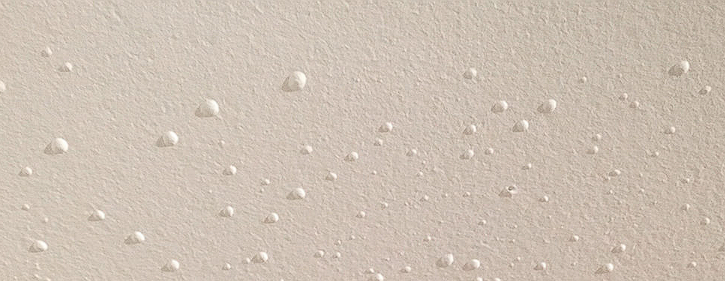
What causes pinholes?How to deal with it?
② Washing the glass surface. The glass plate should be pre-treated before printing to clean its surface and then printed immediately. If the glass is not printed immediately after treatment, it will be contaminated again. After pre-treatment, dirt such as grease can be removed, and at the same time, Dust attached to the surface can also be removed.
③. Pay special attention to your hands when carrying the glass. Fingerprints will also adhere to the printing surface and form pinholes during printing.
Contact Us
Discuss Your Custom Glass Project
Share your drawing, photos or dimensions, together with the intended use and target quantity. We will review your requirements and discuss the next steps.
Sales Enquiries
Email sales@bo-glass.com with your part description, intended use and target quantity.
Send Your Design
Use the form to upload a drawing or describe an existing part. Mark critical dimensions and tell us which surfaces or features matter most.
Request a Custom Glass Quote
Upload a drawing or share dimensions, quantity, intended use and finish. Include any heat, pressure or chemical exposure.
Your drawings remain confidential.
We use the contact details you provide to respond to your enquiry. See our Privacy Policy for more information.